
UPDATED:
January 15, 2026
These appointments are for either optional or mandatory conferences. This page will be updated throughout the semester.
The below links are for all appointments to meet with me for a text chat via KSU Google Chat.
Using Google Chat to Meet with Me
-
- Login to your KSU Flashline account.

-
- In the upper right corner, there is a Google Drive Icon; click on that icon (see above): it’s the triangle-shaped thing, between the telephone icon and the bell icon.
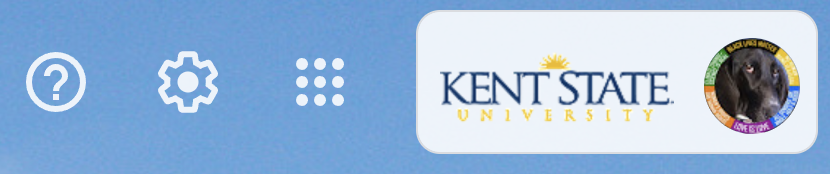 Click on the square-of-squares, or square of dots (see above).
- Select the Google Chat (not Hangouts) icon.
- Wait for me to begin the text chat. It is likely that I will have to invite you to the first chat.
- Note: we do not do video chat in this class! Why? I have several reasons, but the main reason is that I want our text chat to serve as notes for you as you work on your essays.
- The text chat is always saved, automatically. If you have trouble finding it, just send me an email, and I’ll help you find it.

Directions for signing up for an appointment:
1. Enter your FULL NAME into the slot for your chosen appointment time.
2. Enter your KSU EMAIL address into the slot for your chosen appointment time.
3. Be sure to save the confirmation code and url that you receive from Wejoinin (in case you need to change or cancel your appointment)!
Week 1: January 12 to January 17
Week 2: January 18 to January 24
Week 3: January 25 to January 31
Week 4: February 1 to February 7
Week 5: February 8 to February 14
Week 6: February 15 to February 21
Week 7: February 22 to February 28
Week 8: March 1 to March 7
Week 9: March 8 to March 14
Spring Break
No appointments this week!
Week 10: March 15 to March 21
Week 11: March 22 to March 28
Week 12: March 29 to April 4
Week 13: April 5 to April 11
Week 14: April 12 to April 18
Week 15: April 19 to April 25
Week 16: April 27 to May 2
PARAMETERS & OTHER NOTES:
— One person for each appointment time (no matter what the calendar might allow).
— I reserve the right to close-off available times, either as other obligations arise or when the time-slot has not been filled at least 48 hours in advance.
— We will meet online in KSU Google Hangouts.
— If you are unable to find a time that works for your personal schedule, email me times that you are available. Do this right away, and I will do my best to accommodate you.
TO CANCEL AND/OR CHANGE YOUR APPOINTMENT: Be sure to save the confirmation code and url that you receive from Wejoinin. Cancel using that information; if you are unable to do so, then send me an email, notifying me of your cancelation. Return to this page to choose a new appointment.